A real studio
Record to a metronome that follows tempo and time-signature changes, multiple tracks, and pick your best take per bar. The desktop app talks straight to your audio interface, so you hear yourself without audible delay.
 OhMyDAW
Guitar · vocals · your own songs
Take apart the songs you love, write your own and record them. A studio, a notation program and a patient teacher in one, even if you have never heard of a key.
Free · Windows, Mac and Linux
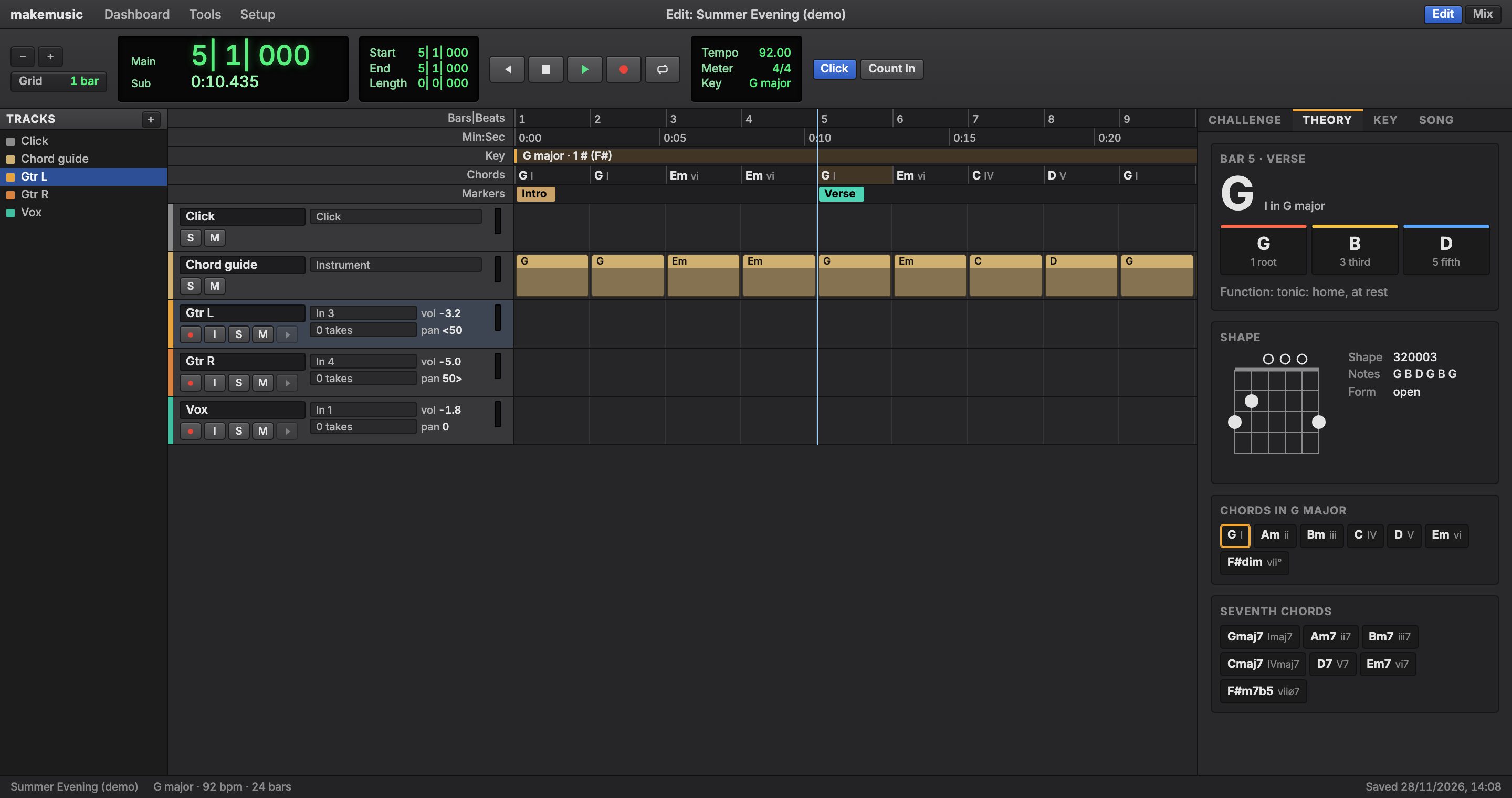
Record to a metronome that follows tempo and time-signature changes, multiple tracks, and pick your best take per bar. The desktop app talks straight to your audio interface, so you hear yourself without audible delay.
Guitar, bass and ukulele. Standard, drop D, DADGAD, open G and more. With the microphone, or by ear with a tone you can play yourself.
See where every chord sits, in every inversion and on every string set, and test yourself until you find them blind.
For every chord in your song its numeral, function, notes and shape. For all 24 keys the key signature, the scale and the chords that belong to it.
Score and tablature next to your recording, in sync. Open and save Guitar Pro and MusicXML files.
See whether someone already worked out a song and how many people confirmed it. Or do it yourself first and compare afterwards.
You don't learn from a book but from a song you pick yourself. The app shows the way; your ears do the work.
From your Spotify or simply by title. The part you want to understand plays in a loop.
A drone underneath; slide until it feels at rest. That is your key, and now you know why.
Seven chords fit that key. Play them along and hear which one is right.
With the right shape on the neck, the lyrics alongside, and as many tracks as you like.
A wrong note in a lesson isn't ugly but wrong: whoever plays it hears something other than what's written. That's why everything OhMyDAW says about music is checked against a hand-written truth. Every key with its spelling, every chord shape, every triad across the neck, and whether the pitch you hear is really the pitch on the page.
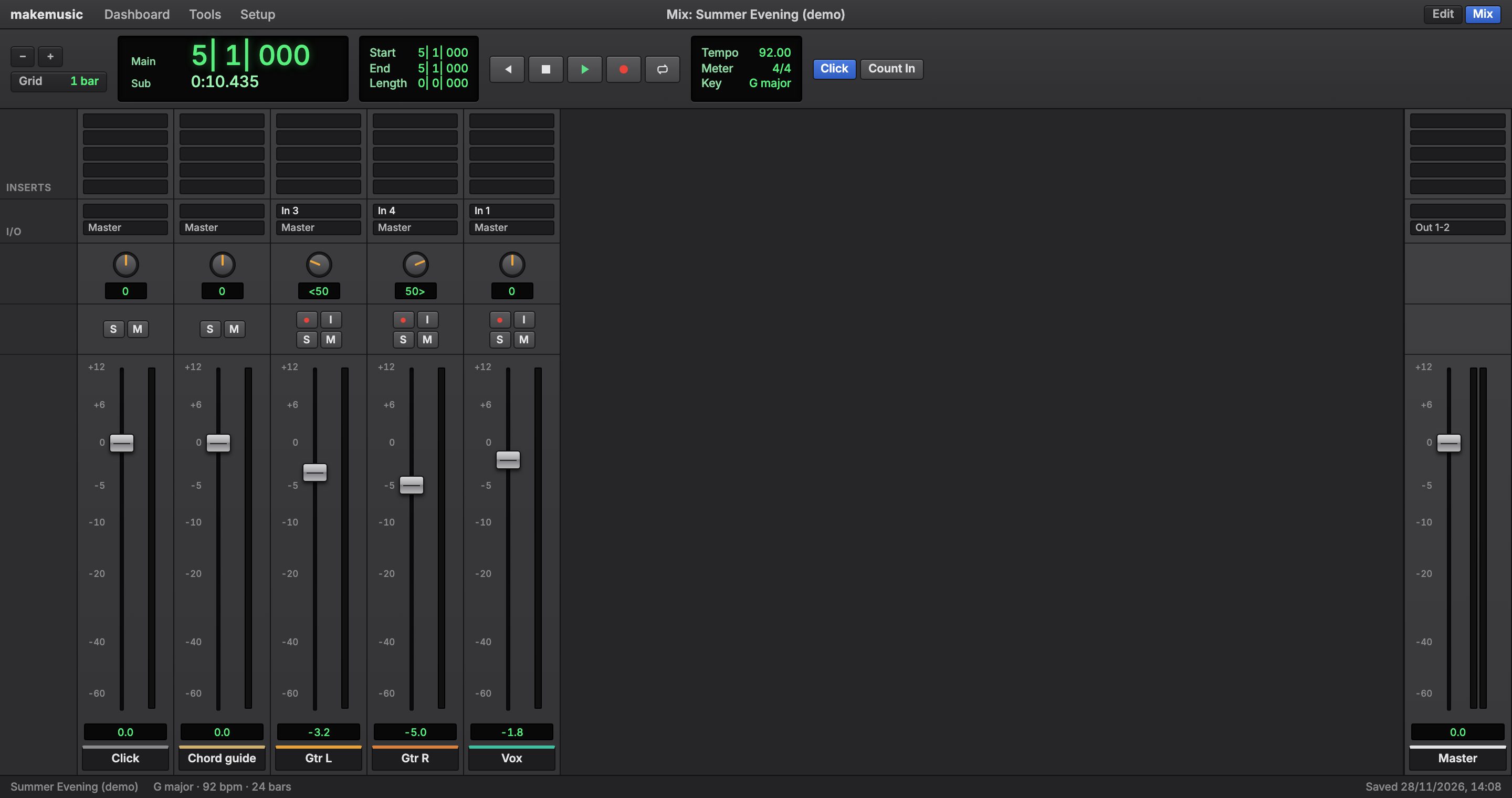
The desktop app has everything from the browser version, plus recording through your audio interface without audible delay.
Version 0.2.0
Which one do I have? Apple menu > About This Mac: if it says Chip, Apple; if it says Processor, Intel.
The app isn't signed yet, so your system will warn you. On Windows: More info, then Run anyway. On a Mac: right-click the app, Open, and Open once more.